What is Color Space Conversion in Video Processing?

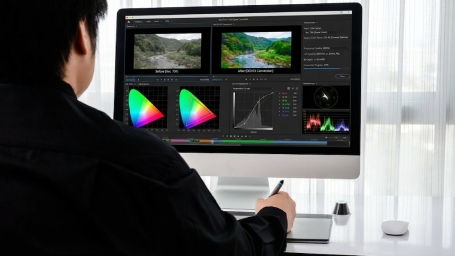
Color Space Conversion (CSC) is a fundamental step in video processing pipelines. It transforms video frames from one color format to another so that downstream components such as encoders, AI inference engines, or display sinks can correctly process the data.

Different hardware blocks expect different pixel formats. Cameras may output grayscale frames, AI models might expect YUV formats, while encoders typically require formats like NV24, I420, or YUV420.

Without efficient conversion, video pipelines may suffer from:

  • High CPU load
  • Increased latency
  • Reduced throughput
  • Memory transfer overhead

The RAPIDSEA GStreamer CUDA CSC plugin solves this by enabling GPU-accelerated transformation from grayscale images to NV24 format, ensuring optimal compatibility with downstream video processing elements.


RAPIDSEA CUDA Color Space Conversion Plugin Overview

The gst_et_cuda_colorconversion module is part of the RAPIDSEA GStreamer CUDA plugin suite, designed to accelerate video processing pipelines on NVIDIA platforms.

This plugin converts grayscale video frames into NV24 format using CUDA, enabling fast GPU-based color transformation while preserving memory efficiency.

Key Conversion:

GRAY8 / GRAY16 → NV24 (YUV 4:4:4)

NV24 stores luminance and chrominance components in separate planes while maintaining full resolution, making it suitable for high-quality encoding and AI processing.

Key Features of RAPIDSEA Color Space Conversion Plugins

01
GPU-Accelerated Processing

Uses CUDA to perform parallel pixel processing across thousands of GPU cores, significantly increasing throughput compared to CPU-based conversion.

02
Zero-Copy Video Pipeline

Frames remain in GPU memory (NVMM) throughout the pipeline, eliminating unnecessary CPU↔GPU transfers and reducing latency.

03
High Resolution Support

Optimized for HD, 4K, and even 8K video pipelines where CPU-based conversion becomes a bottleneck.

04
Supporting Input/Output Format

Supports grayscale input formats such as GRAY8/GRAY16, and outputs NV24 format, which is compatible with many hardware encoders.

05
Pipeline Compatibility

Easily integrates with NVIDIA hardware encoders, GPU decoders, AI inference pipelines, and DeepStream frameworks.

Sample GStreamer Pipeline

Example pipeline using the RAPIDSEA CUDA Color Space Conversion plugin:

gst-launch-1.0 filesrc location=input_gray8.yuv \
! rawvideoparse width=1920 height=1080 format=GRAY8 \
! gst_et_cuda_colorconversion memory=nvmm format=NV24 \
! nv3dsink

This pipeline:

1. Reads grayscale video frames from a file

2. Parses raw frames

3. Converts grayscale frames into NV24 format

4. Displays the output using NVIDIA GPU rendering

Developers can easily extend this pipeline to include encoding, streaming, or AI inference.

Diverse Use Cases

Discover how RAPIDSEA’s Color Space Conversion plugins optimize high-performance video pipelines for encoding, AI inference, and specialized medical imaging systems.

Contact sales to learn more
Preparing Frames for Encoding icon

Preparing Frames for Encoding

Convert raw Gray8/16 frames to NV24 with zero-copy, ensuring seamless integration with hardware encoders.

AI/ML Pre-Processing icon

AI/ML Pre-Processing

Convert raw grayscale camera feeds into ML-friendly NV24 tensors directly on the GPU, bypassing the CPU entirely.

High-Speed Encoding Farms icon

High-Speed Encoding Farms

Prepare frames for H.264/H.265 hardware encoders (NVENC) to maximize frames per second (FPS) in cloud transcoding.

Medical Imaging icon

Medical Imaging

Transforming high-bit depth grayscale ultrasound or X-ray data into formats suitable for real-time colorized displays.

FAQs

It is the process of converting video frames from one color format to another for compatibility with downstream elements.

Looking to Accelerate Video Format Conversion?

RAPIDSEA GStreamer CUDA plugins provide GPU-accelerated grayscale to NV24 conversion for high-performance multimedia pipelines and real-time video processing.

For further information on how your personal data is processed, please refer to the Rapidsea Privacy Policy.